Lumos / DashboardDEVELOPMENT PREVIEW
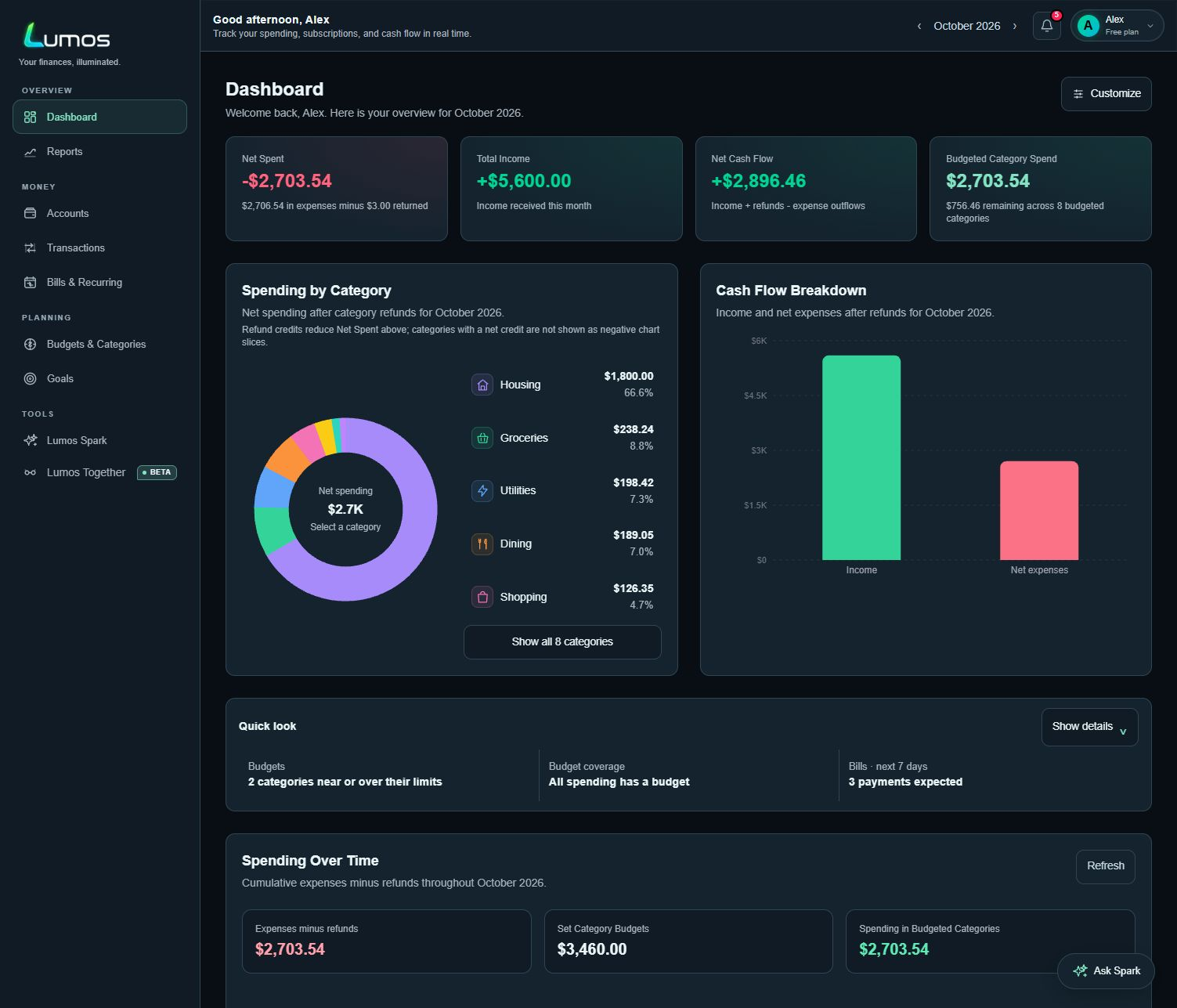
01 / THE BIG PICTURE
See where you stand.
Spending, income and cash flow, brought into one view.
- Spending patterns
- Cash flow
- Monthly trends

YOUR MONEY, IN A BETTER LIGHT
Know where it goes. See what’s coming. Make a plan that feels like yours. Lumos brings your everyday finances into one clear picture.
PRIVATE BETALumos is being tested with invited users as we refine the experience.
Built in Canada. Made for Canadians.


Optional bank connections powered by Plaid.
Availability depends on your institution and account type.
September spending · Six categories
A clearer view of what changed.
Illustrative app previews · Sample data in CAD
ONE CONNECTED PICTURE
Your month at a glance. A budget that fits. A little notice before the next bill. Get a feel for how it all comes together in Lumos.
01 / THE BIG PICTURE
Spending, income and cash flow, brought into one view.
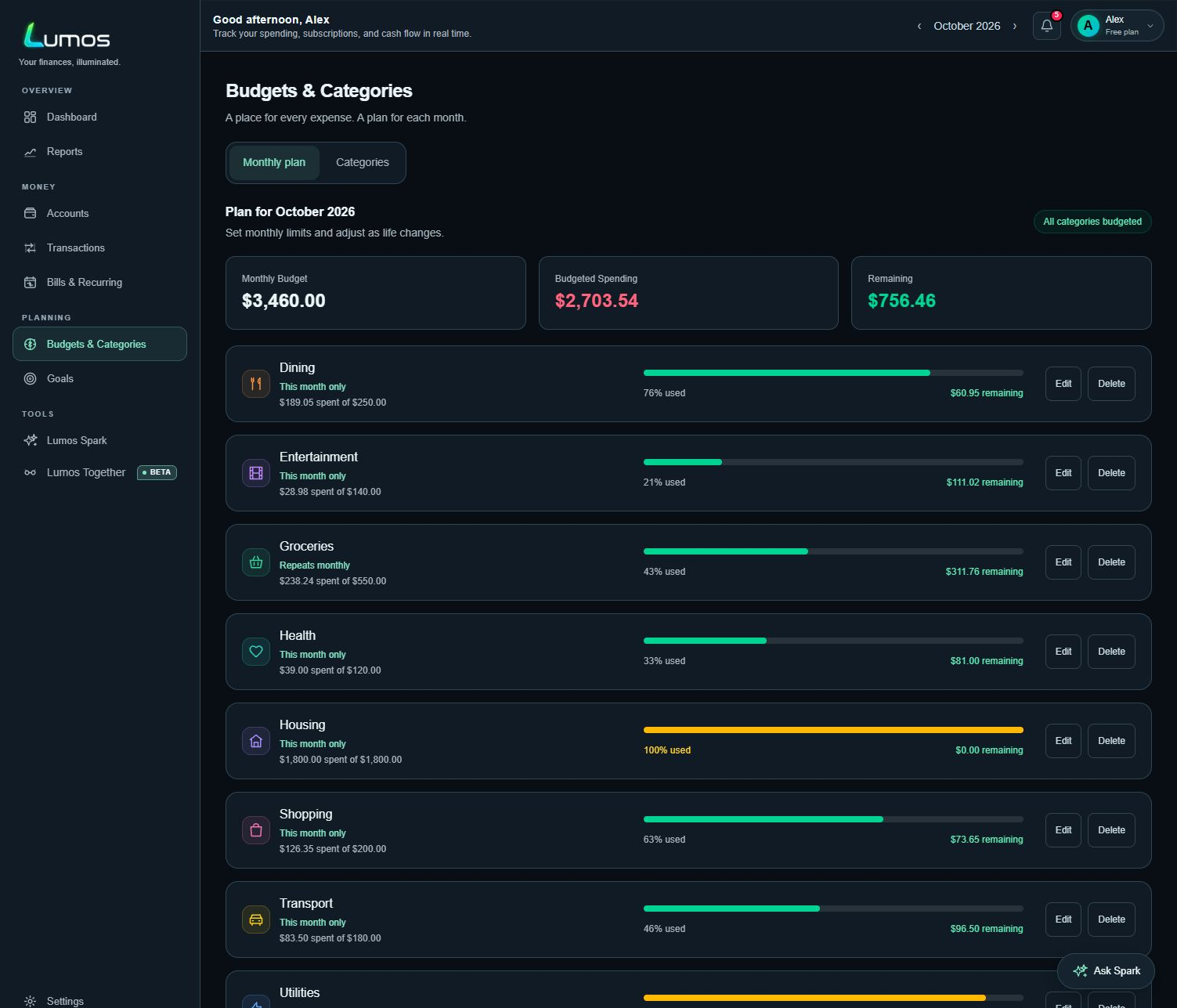
02 / YOUR MONTH, YOUR PLAN
Category budgets and progress you can follow throughout the month.
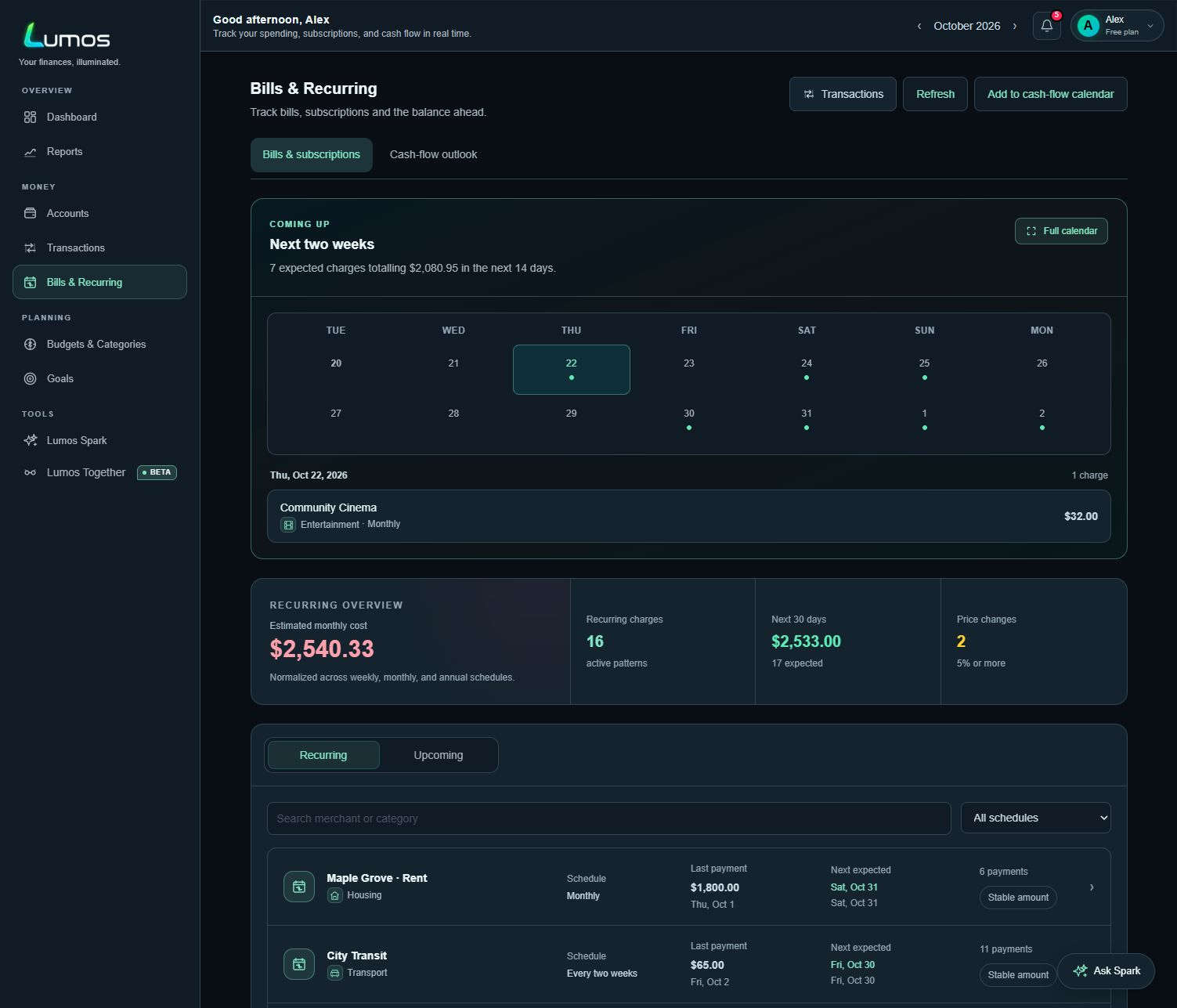
03 / A LITTLE FURTHER AHEAD
Recurring charges and expected payment dates, in clearer view.
Income, spending, and cash flow. Together.
Category budgets. Progress you can follow.
Repeating payments, with room to prepare.
Afterglow app captures · Fictional demo data · Development preview, Oct 2026. Originals: Dashboard ↗ · Budgets ↗ · Bills ↗. Explore the product gallery →
FOLLOW ONE MONTH WITH LUMOS
Follow Alex’s sample September: see income, look ahead to bills, set a budget, and check in.
One synthetic example throughout · Select a step to follow the month
USEFUL IN THE DETAILS
Thoughtful tools for the real-life details that make a budget easier to keep.
Turn unclear bank descriptions into recognizable merchants. Save your corrections to keep future matches consistent.
POS PURCHASE 0427 COFFEEIllustrative example · Select to see the cleaned-up transaction.
Use past spending to suggest category budgets. Review the amounts, make your changes, and choose what to add.
See statement balances, due dates, and payment progress together. Keep minimum payments and full statements in context.
WHY LUMOS
Built in Canada for everyday Canadian finances. Budget in CAD, connect supported Canadian accounts through Plaid, or bring in supported transaction and statement files.
Connect supported accounts with Plaid, add records manually, or bring in supported transaction and statement files.
Start where you’re comfortable.Transfers stay separate from spending and income. Refunds reduce net spending, helping your totals reflect what actually happened.
A clearer picture starts with the details.Follow your spending trends, cash flow, and net worth together. See what changed so you can make a more informed plan for the month ahead.
Insights grounded in your recorded activity.A LITTLE AI ASSISTANCE
Optional AI helps make sense of the details, from unclear merchants to an easier-to-read monthly summary. Review the results and make corrections whenever you need to.
Your balances, budgets, totals, and trends work independently of generative AI.
AI can help identify unclear merchant descriptions when saved rules and provider information leave a gap.
Optional AI can assist with unresolved categories. Your saved corrections and merchant rules come first.
AI can help put your monthly activity into plain language, with the underlying calculations kept separate.
Manage optional AI assistance in Lumos’s automation settings.
Available in your Lumos settings
Enable authenticator verification for your account.
Review sessions and sign out other devices.
Download your financial data or manage account deletion.
WHY I’M BUILDING LUMOS · A NOTE FROM THE FOUNDER
Brandon Hans Ebrecht · Founder of Lumos
I know what it’s like to choose something I want today over something better I could save for. To keep putting off a vacation because there never seems to be enough set aside. To discover that a subscription I’d forgotten about is still quietly taking money out of my account.
I wanted a clearer view of my money—and a budgeting app built around life in Canada. One designed with Canadian banking, e-transfers, and the way we move money in mind from the beginning.
For me, a budget should answer a few straightforward questions: What’s coming in? Where is it going? What could I change to make room for something that matters?
That becomes more complicated when you share a home. I live in a household with several family members, and I handle much of the budgeting. Between the mortgage, bills, groceries, and everyone’s contributions, keeping track can feel like a second job. Finding a balance between shared responsibilities and personal freedom takes work.
That experience shapes what I want Lumos to become: a way to understand your finances with more clarity and less stress. A place to spot forgotten expenses, make realistic plans, and see progress toward the things that always seem just out of reach.
Lumos is still growing, and I’m building it for myself as much as for anyone else. My hope is that sharing it helps other Canadians feel more confident about their money—and gives us all a little more room to think about tomorrow.
GOOD QUESTIONS
Yes. Lumos is built in Canada with everyday Canadian finances in mind, including CAD budgeting, supported Canadian bank connections through Plaid, and supported transaction and statement imports. Bank and import availability varies; manual entry is also available.
No. You can add accounts and transactions manually or use supported imports. Connecting a supported bank through Plaid is optional.
Set monthly limits by category, then compare them with actual spending. Lumos shows your progress and remaining budget so you can decide where to adjust.
Lumos looks for similar merchants, amounts, and payment timing in your transaction history. Upcoming dates are predictions, and can improve as more matching payments are available.
Lumos includes authenticator verification, session controls, a financial-data export, and account-deletion controls in Settings.
Core balances, budgets, totals, trends, and recurring detection work without generative AI. Optional AI can help with unresolved merchants or the wording of a monthly summary; it does not replace the underlying calculations.
Lumos has layouts for phones and larger screens. It can also be installed from a supported browser for easier access.
Begin by adding an account, reviewing your transactions, and setting category budgets. This site currently offers a product preview; sign-up and pricing details will be added once confirmed.
A BRIGHTER VIEW STARTS HERE
Explore Lumos while it takes shape.
Explore Lumos